AI formulas and script editing
The features on this page require Freeplane 1.13.3 or later.
The feature sections below repeat the settings they need.
Benefits and risks
Benefits:
- AI can draft, explain, and repair formulas and scripts faster,
- editor attachment lets AI work with the live text you are currently editing.
Risks:
- formulas and scripts can be wrong or unsafe,
- models make mistakes, and prompt injection through map content or scripts cannot be fully excluded.
Formula editing and execution with AI
To use this:
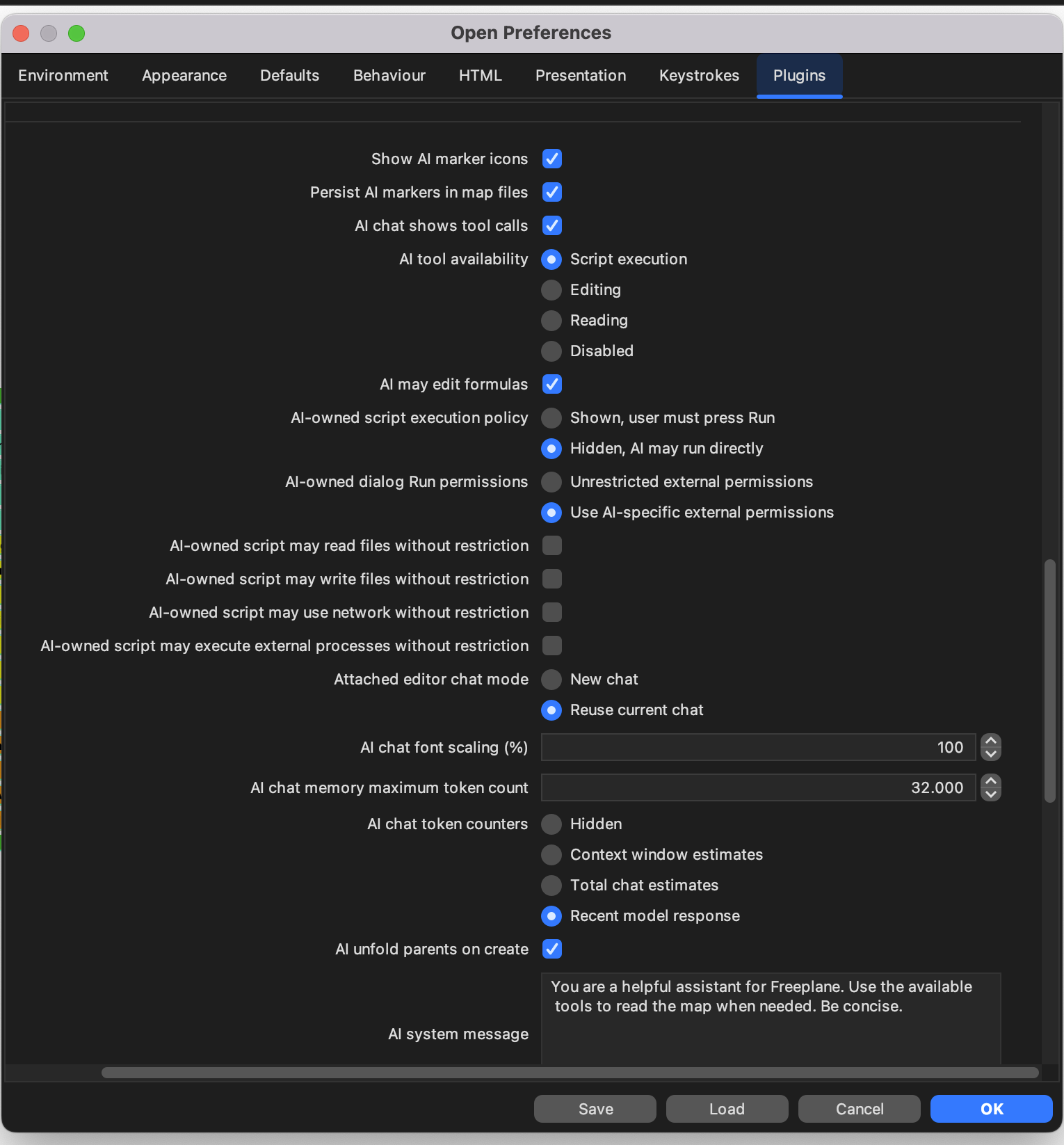
AI tool availabilitymust includeEditingorScript execution.AI may edit formulasmust be enabled.
Benefit: AI can help draft and repair formulas faster.
Risk: review any generated formula before submitting it, especially if it refers to other nodes or searches the map.
Formula Editor can be attached to AI through its local AI button.
When you attach the editor, AI works with the live text currently open in that editor, not only with already-saved map content.
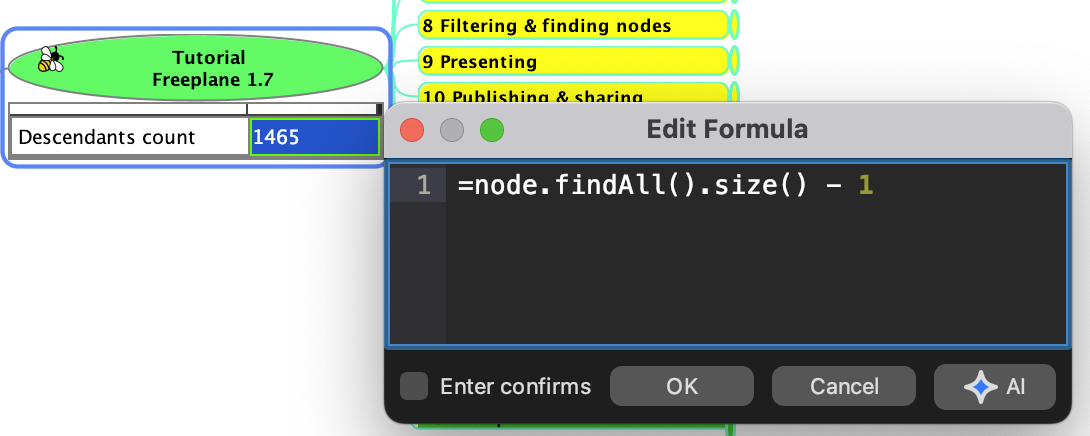
Formula Editor with the local AI attach button.
The preference Attached editor chat mode decides whether attaching an
editor:
- opens a new chat, or
- reuses the current chat.
Only one open editor can be attached at a time.
AI may edit formulas
This setting is required for any AI formula authoring or repair. Without it, AI cannot help write or fix formulas even when ordinary AI editing or script execution is enabled.
To let AI author or repair formulas, both of these must be true:
AI tool availabilitymust includeEditingorScript execution.AI may edit formulasmust be enabled.
This matters because AI formula authoring and execution-backed checks are more restricted than normal text editing.
For general formula usage, formula execution failures, and optional AI repair, see Formulas.
Block formula map edits
No AI permission is needed for this safeguard itself. It is a formula-plugin preference and applies to all formulas.
Benefit: this blocks one important class of formula side effects.
Risk: if you disable it, formula evaluation can perform map edits when the formula text does that.
The formula-plugin preference Block formula map edits is enabled by
default.
When enabled, formulas that try to apply map edits during evaluation or validation can fail instead of changing the map. This includes cases such as formulas that try to create child nodes.
This guard improves safety, but it is not a complete block on every possible UI side effect. Formulas should still be treated as value-computing expressions, not as a map-mutation mechanism.
Script editing with AI
To use this:
AI tool availabilitymust includeScript execution.
Benefit: AI can help draft, explain, and refactor Groovy scripts faster.
Risk: AI-generated code is untrusted code and should be reviewed before running it.
This attached editor flow helps AI edit the current script draft. For execution of AI-owned scripts, see AI-owned script execution.
Edit script can be attached to AI through its local AI button.
When you attach the editor, AI works with the live text currently open in that editor, not only with already-saved map content.
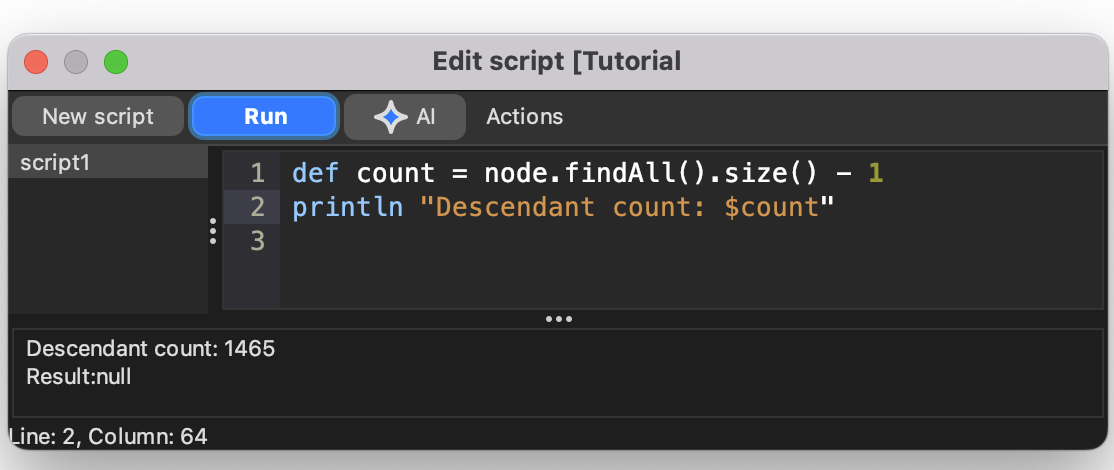
Script Editor with the local AI attach button and Arguments JSON field.
The script editor also has an Arguments JSON field. When the editor
is attached to AI, AI can edit both the Groovy source and this JSON.
Use the field for data you do not want to quote inside the script, such
as longer text, lists, or structured values.
In the script, the parsed JSON value is available as args; a blank
field means args == null. Invalid JSON prevents compile/run until it
is fixed.
For map local script usage of Arguments JSON, see
Map local scripts.
Repair requests are consent-gated
When a submitted formula fails, Freeplane can show diagnostics and ask whether AI should try to repair it. The repair request starts only if you confirm.
When an attached script editor run fails, Freeplane records the failure as attached editor state so AI can inspect it, but it does not automatically submit a repair request. If repair is available, Freeplane asks first; declining or closing the prompt leaves the failure state recorded but does not contact the AI provider for repair.
Prefer value-computing formulas and scripts
This guidance still applies when the relevant permissions are enabled. For formulas and AI-owned scripts, prefer:
returnvalues for structured results,printlnfor plain text output.
Avoid side effects unless you explicitly want them. In particular, avoid:
- map-editing formulas,
- UI popup calls from scripts,
- scripts whose main purpose is to drive the interface.
Practical setup for formula and script help
If you want most features on this page, a good default configuration is:
AI tool availability:EditingorScript executionAI may edit formulas: enabled if you want AI to help with formulasAI chat shows tool calls: enabled if you want visible AI/MCP tool activity in chat
For AI-owned script execution settings, see AI-owned script execution.
The preferences page below shows the main settings involved in these workflows.